



Portals
Customers send requests. Engineers get GitHub issues.
A portal is a simple space at your-name.pealboard.com. Customers, partners and staff can send requests and follow along, with no GitHub account. Every request becomes a GitHub issue in the repository you chose, with the labels and project fields you chose.
What your customer sees
Sign in with an email code
They enter their email, get a 6-digit code, and type it in. No password. No GitHub account. Nothing to install.
Choose a request type
Bug report, Feature request, Question, or any types you set up. Each one has its own form and goes to the right place in GitHub.
Fill in the form and send it
They get a request number right away, with a clear note: "Request ACME-42 was created. You will get an email when its status changes or when someone replies."
Follow along
They can see their own requests, their company’s requests and public ones, each with a plain status and the date it last changed. They can comment, and vote on public requests.
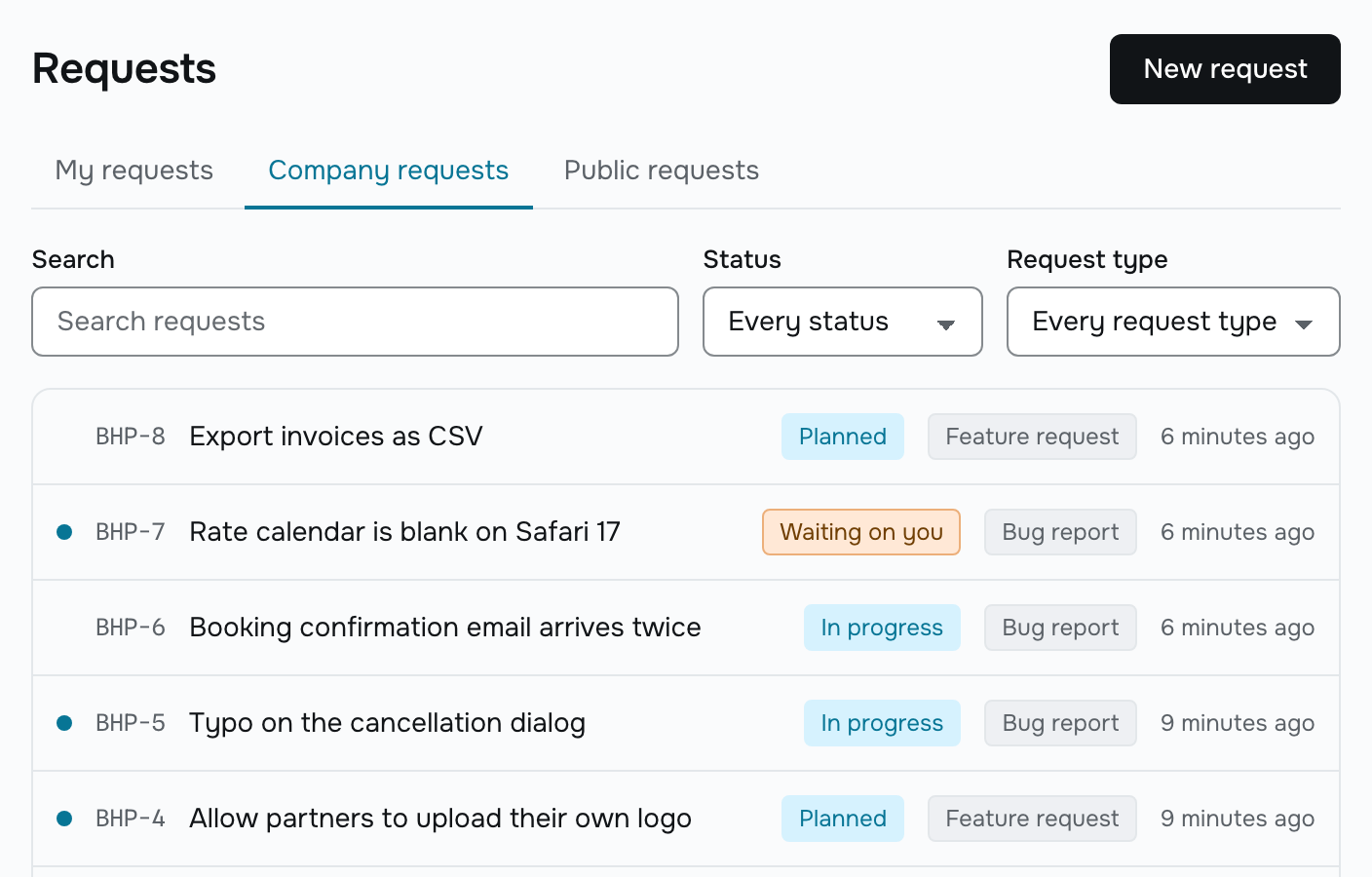
Request types and destinations
Every request lands in the right place
A request type is a form plus a destination. So every request goes straight to the right repository, with the right labels, from the start. No queue to sort through. Nothing to move by hand.
| Field | Required | What it does |
|---|---|---|
| Repository | Yes | Where the issue is created |
| Labels | No | Added when the issue is created. A label that doesn’t exist yet is created for you |
| Project | No | The new issue is added to it |
| Initial field values | No | Set when the issue is created, for example Status = Triage |
| Issue type | No | Your organization’s issue type, if you use them |
Every issue a portal creates also gets the label portal:<slug>, so engineers can see at a glance where it came from.
Visibility
You control who sees each request
A portal’s default sets what a new request starts as. A member, or a customer with the manager role, can change any request on its own.
- Private
- The requester, and everyone in your workspace.
- Company
- Everyone in the requester’s company, plus your workspace. A customer’s company comes from their invitation or their verified email domain. They never pick it themselves.
- Public
- Everyone signed into the portal, plus your workspace. Public requests can be voted on, one vote per customer.
Whatever the setting, customers never see the repository name, the issue number, the assignee, the labels, the milestone, another portal’s requests, or any internal comment.
Statuses
Status updates itself
Your internal Status options, like Triage, Blocked, In review or Needs design, stay yours. Customers see one of seven plain words instead. Rename an internal option and customers notice nothing.
| Customers see | When |
|---|---|
| Open | The default, when nothing below applies |
| Planned | The project’s Status field is Planned or Todo |
| In progress | The project’s Status field is In progress |
| Waiting on you | The issue has the label needs-info |
| Completed | Closed as Completed, or the project’s Status is Done |
| Merged | Closed as a duplicate |
| Closed | Closed as Not planned |
Status comes straight from the issue. When an engineer closes it in GitHub, the customer sees the change within seconds. Nobody has to remember to update the portal, and the portal can never disagree with GitHub.
Comments
Internal comments stay internal
To reply to a customer, write your comment on the issue, turn onReply to portal, and send. The customer sees it in the portal and gets an email. Every other comment stays internal, and customers can’t reach it.
- A public comment shows a Public badge in the workspace, so you always know which is which.
- Customers see your workspace’s name and the time. Not your GitHub login, not your email address.
- A customer’s comment goes onto the GitHub issue with a footer naming them and their company. Never their email address.
- One portal setting, Show every GitHub comment to customers, opens the whole thread. It’s off by default.
Attribution
Engineers see who asked
Every issue created through a portal starts with one line naming the requester and their company. A hidden marker links the issue back to its request.
> **Requested by** Jane Doe (Acme) through the [Acme portal](https://acme.pealboard.com/requests/ACME-42).The visible line shows a name and a company, never an email address. That way Pealboard can honor a deletion request later, even though a GitHub issue can’t be recalled. The hidden marker survives edits by people who don’t know it’s there.
Branding and access
Your brand, and only the people you invite
Your portal shows your logo, your accent color, your name and your welcome text. Pealboard appears once, in the footer.
| Access mode | Who can sign in |
|---|---|
| Invite only | Only people a member invited |
| Domain allowlist | Anyone with a verified email address at a domain you listed |
| Open | Anyone. A new customer’s first request waits in the hold queue until a member releases it |
Every portal form is protected by Cloudflare Turnstile. If your accent color is too light to read against the page, the portal darkens it until it passes and shows you the color it used.
Common questions
- Does a customer need a GitHub account?
- No. They sign in with a 6-digit code sent to their email, or with a sign-in link. No password, no GitHub account, and no invitation to create one.
- Are portal customers billed?
- No, on any plan, at any number. You pay only for workspace members: owners, admins and members. Viewers, portal customers and companies are never counted.
- Can a customer see our internal comments?
- No. Customers see comments written in the portal and replies a member sent with Reply to portal. Everything else stays internal. There’s a portal setting that shows customers every GitHub comment. It’s off by default, and turning it on is a deliberate choice.
- What does the engineer see in GitHub?
- A normal issue. The body has what the customer filled in, under headings, plus one line naming the requester and their company. Never their email address. A reply you made public gets a short footer saying so. That’s it.
- What happens if we delete a portal?
- The portal, its customers, its companies and its request records are deleted. Nothing in GitHub changes. Every issue stays where it is, with its comments.
Your first portal is free
The Free plan includes one portal with unlimited customers. Team includes five, and Business is unlimited. Customers are never billed on any plan.